Showing posts with label MCS Schools. Show all posts

Thursday, October 19, 2017

Join the MCS Robotics Wave at our Regional Competition

    The robotics initiative in Moore County has exploded and developed into something truly fantastic for students. In just four years, we have grown to having a robotics team in every single school in Moore County; yes, every...single...school! Every year our county holds two robotics competitions, one for elementary and one for middle school. Schools from around the county come to participate and it is a great day of learning, engineering, and fun! 

Last year was our first attempt at holding a regional competition and inviting other school districts to participate. Schools from Scotland County were in attendance and it proved to be an exciting competition among the students. Due to the fact that we had a significant amount of interest last year, we are hoping other districts will join in on the robotics adventure this year. 

    Every year, MCS has a theme that surrounds the robotics competitions and all events are based off of it. This year the theme will be, "Oh, the Places You'll Lego", and elementary students will design robotics boards based off of a book and middle school will compete in book inspired events. We are very excited about this years' theme and tying literacy into the mix. On October 20, at the regional technology meeting in Raeford, we will be sharing information about our upcoming competitions and inviting all districts to attend. We would love to see all new and familiar faces this year!! Come join the fun and be a part of something great!

Check our website for updates and information: https://www.moorerobotics.net/

Regional Elementary Robotics Competition          
May 5, 2018 from 8am-12pm
Pinecrest High School Gymnasium
250 Voit Gilmore Lane
Southern Pines, NC 28387

Regional Middle School Robotics Competition
May 19, 2018 from 8am-12pm
Pinecrest High School Gymnasium
250 Voit Gilmore Lane
Southern Pines, NC 28387

Tuesday, December 6, 2016

Ready, Set, Robotics!

   Elementary students from around the county are excited to join this year's robotics clubs. Many schools have either started clubs or are in the final selection process. Robotics has become a booming activity in Moore County over the last three years. We are now in our third year of our elementary showcase, second a year of our middle and high school competitions, and first year of holding regional competitions. "It has been amazing to watch the growth and excitement of robotics over the past couple years", Mrs. Steingraber, a Sandhills Farm Life (SFL) 3rd grade teacher reports.

  At Sandhills Farm Life, the robotics program is well under way and the students couldn't be more excited. "We had to fill out applications, use our best handwriting, and really explain why we wanted to be in the club", says Aiden, a robotics club member.  According to Mrs. Elliott, another robotics coach at SFL, "there has been so much interest in robotics, we are doing two showcases! One showcase will take place at the school and the other will be for the county."
   The theme for this year's Moore County Elementary Showcase will be "American Cities". Students will be designing boards centered around an American city theme and will create challenges for robots to solve. The middle school competition will also be centered around the same theme; however, instead of creating boards, students will come prepared with advanced pre-written programs. We are eager to see how this year's showcase and competition unfolds, and more information will be coming soon about our regional showcase/competition. 


   Robotics has been an exciting way to interest students in the careers associated with STEM (science, technology, engineering, and math). As a county, we are now holding two STEM camps during the summer due to increased interest. The week long camps are filled with inventions, robotics, 3D printing, and entrepreneurs from our community. STEM careers and learning is the wave of the future and Moore County students want to be a part of it!

~Deanna Boesch

Tuesday, November 8, 2016

DASH as an Ambassador -Student Feature: Jacob Pyska

Jacob is a fourth grade student in Elaina Aponte’s self-contained classroom at West Pine Elementary.  Jacob is first and foremost a lover of robotics and technology.  Jacob has autism and because of this is very shy and has a hard time in social settings, including school.  That is until recently.  Jacob’s mother, Jeannie, had a goal she set for her son: to be able to walk into school independently without her walking beside him. At the beginning of the year mom would circle the parking lot a few times, giving her son a pep talk and would ultimately end up walking him in.  Mrs. Aponte and I put our heads together and thought we could use Dash as a way to entice Jacob to come into the building on his own.  Dash would greet Jacob at the door and Mrs. Aponte would let him take on the role of the ‘programmer’ and he would code him to get back to class.  Within about a month, Jacob now comes in school and doesn’t want his mother’s help at all. He tells his mother in the parking lot “I can do this!” When Dash is working in other classes on STEM infused lessons, Jacob walks to the classes he is in to check on him.
According to Mrs. Aponte, “Dash was able to give Jacob confidence and independence.  Jacob is proud of himself and that makes me happy.”


“Jacob has been a student here for three years and has grown leaps and bounds.  This robot has given him purpose and something to be excited about each day.”- Lisa Epling, Assistant Principal

Dash is programmable robot that is great for students as young as kindergarten to learn the basics of coding and programming. It is really exciting how much this little robot has helped this student in such a huge way! Recently, the Public Ed Foundation of Moore County awarded a grant to myself and Clint Rogers and we were able to purchase 14 Dash robots and iPads so that he may have an impact on learning in classrooms all over Moore County.  

Monday, October 24, 2016

Halloween is coming but Mrs. Futral isn't afraid

Integrating technology can be scary. 


Technology is constantly changing. It takes a lot of patience and perseverance. Especially when the computer, iPad, app, robot, chromebook, website (you see where I am going with this) is not working like it should. It is easy to become frustrated. But through it all, Johnna Futral knows that integrating technology is worth the risk. I have worked with Johnna over the past three years and she has become one of my closest allies in the world of digital learning. I know that if there is something new that I would like to take for a test drive I can approach Johnna and she will be eager to give it a shot. Not only is she open to my suggestions, she's an advocate for the benefits of digital learning. I wanted to share her teaching pedagogy that includes using technology to enhance her instruction so that other educators may see that the rewards are worth the risks that you take when you step out of your comfort zone. Here's a piece of my interview with another one of Moore County's finest:


Question: How long have you been a teacher in Moore County Schools?
Answer: This is my eighteenth years teaching. All in Moore County Schools. I’ve taught second grade for seven years, Kindergarten for seven years and two years in fourth grade. I also worked as an assistant for two years.

Q: How would you describe your teaching style?
A: My teaching philosophy has always been that high expectations lead to high achievers. I like a lot of movement in the classroom. I like to change things on a whim. I’d like to say that I’m organized enough that I’m effective but if something isn’t working I like to change it on the fly. I’d say I’m a little bit of a “fly by the seat of my pants” kind of teacher. It depends on what the kids need. What I think when I’m planning may be different than what happens when I’m actually teaching. I also like a lot of creative in the classroom. I like to integrate arts and science because the kids enjoy it and I bring that passion so then the kids get excited.

Q: You often integrate technology in your lessons. How does technology enhance your instruction?
A: For one thing, when the kids are using technology they are a lot more engaged compared to when they’re talking to their classmates. I think it has a lot to do with the world we’re living in. It enhances teaching when you bring in something they're familiar with. 21st century learners must be fluent with technology to be able to function as an adult. Showing students those skills of creating, collaboration, and publishing prepares them for what’s to come in their future. They still need to be able to talk through their thinking as well. That way we don’t take out the personal connection part.

Q: What are some of your favorite lessons that included technology?
A: I especially enjoyed the solar oven engineering lesson where our students created a plan, then made and tested, as well as improved a way of using the energy from the sun to make s’mores. I also enjoyed the Lego robotics lessons where our students created and programed robots that supplemented math lessons in measurement and comparing numbers. You can see the kids enjoy these lessons and you know the content will stick with them because of how much they enjoy it. Even though some of those lessons are harder to prepare for, it turns out being some of the best lessons. Once we got out there to see that something they created was successful when the sun had melted our chocolate...they’ll remember that forever..


Q: What would you say to a teacher who may be reluctant to use technology with their students?
A: I would say to utilize your resources. If your Digital Integration Facilitator is offering to give you help, you should take advantage of that resource because if you’re not comfortable with technology, your DIF is so you’ll be able to step outside of your comfort zone and then you’ll grow as a teacher. You are more likely to try something new when you’re working with a DIF. Until I see it, I don’t understand how it works. The only way you’re growing to grow as an educator is to step outside of the box of comfort. No one is going to grow until they take risks. Just like we tell our students. I often find that if I do take a risk and fail it’s a good lesson for my students as well. You teach them perseverance and not to give up with some things are hard.

Q: Does your principal affect your motivation or desire to use technology?
A: No. I think he’s very tech savy. It’s something that I do on my own because I think it’s beneficial.

Q: You’re an inspiration to many people, including myself, what inspires you?
A: From the time I was a small child I knew I wanted to be a teacher. I was inspired at a young age by my kindergarten teacher. I don’t know exactly what it was but she was a huge inspiration for me. I even did an internship where I went back into her classroom and worked with her.  My children also inspire me. My colleagues inspire me. I get inspired by other educators. I think that my daughter inspires me and that I inspire her as well as my students. They’re so much love in a school building that is enough in itself to be inspiring. I like to have fun. I don’t like to do things like in the olden days. I like to be creative and I think teaching allows me to do that.

Q: What is your favorite part about being a teacher?

A: I think my favorite part is the kids and how much they love you. It’s like having a classroom full of your own children that you mold and shape. Even though you send them home at the end of everyday you still think about them. Why else would you be a teacher? It’s about the kids. I like to see them excited about things. Like today, when they were building their robots today that’s something they were excited about.


This is Mrs. Futral's first year at Cameron Elementary School and they are beyond lucky to have such an amazing teacher. If I had kids, I would love for them to have her as their teacher. She is a phenomenal educator and I absolutely love collaborating with her.

Tuesday, October 18, 2016

Engineering has Taken off in Mrs. Rallings Class!

   Nationally there is a big push for student interest and careers in STEM (science, technology, engineering, and math). The Moore County School District has embraced this push and has currently integrated an engineering thread into the K-5 science and math curriculum. This thread offers teachers two projects, one with robotics and one without. Lessons were created by staff this summer and are meant to last several days. 
   The teachers at Pinehurst Elementary, in Moore County, have welcomed this new addition with open arms! The students are eager to do science and participate with friends on engineering design. Mrs. Kathy Rallings, first grade teacher at Pinehurst Elementary, has gone above and beyond with integrating STEM into her classroom. Her students not only know the design process, and can recite it, but they have developed perseverance when solving problems related to STEM. "You have to be like an engineer and keep going until you solve the problem", says one of Mrs. Rallings first graders. 


I asked Mrs. Rallings her thoughts on incorporating STEM into her classroom and these were her thoughts:

    1. What did you know about STEM prior to this year?


Prior to this year I really thought of STEM as robotics and activities for older students.

     2. Do you feel the STEM lessons have excited your kids about learning science?

The exciting thing about STEM lessons is that every child is given an opportunity to be creative, be a problem solver and to work cooperatively with others.  So you may see a student that is not engaged in reading or math, but in the STEM lesson this particular student might actually take the lead and excel. This student gets to feel a sense of accomplishment he may never feel during the course of a reading task or math activity. 

    3. What is the most enjoyable part of teaching these lessons to your kids?

The most enjoyable part of teaching these lessons for me as an educator is taking a step back and letting the students take the initiative with their partner or group in solving the problem or challenge with the STEM lesson.

    4. What has been your best memory so far?
Seeing your students guide each other, encourage each other, and work through the challenge of a STEM lesson is a memorable moment for me. Just the other day, I saw a particular student who usually does not work well with his peers and does not work cooperatively with others, showing such kindness and understanding as he helped his STEM partner through the blog questions for our Global Read Aloud book, The Troublemaker. 

     5. Do you have any advice for other teachers thinking about incorporating STEM in their classrooms?

My advice for other teachers would be, go ahead, jump in head first and try at least one STEM lesson each week. Rise to the challenge and your students will guide you through the learning process. That’s what true learning is. It’s the process not the product.

    I look forward to many more STEM lessons throughout this year in Moore County. A huge thank you to Mrs. Rallings on her willingness to try something different and embracing a change in her classroom!

~Deanna Boesch

Thursday, April 28, 2016

The World of Robotics at Robbins Elementary

   Moore County Schools has made positive strides and a significant push for robotics this year. The county has provided each school with two EV3 robots and many teachers have stepped up to the plate to be coaches for this year's teams. For this post, I have decided to spotlight the robotics team at Robbins Elementary and the hard work they have done. This year's team is coached by Marlana Evans, the media specialist, and Brian Barlow, the P.E. teacher. Both have done a fabulous job in ensuring the best possible experience for students and are anxiously awaiting the May 6 showcase. Below are some highlights from our interview about their robotics team and experiences they have shared.


1. What has been the most rewarding part of doing a robotics club at Robbins?
The most rewarding part about Robotics Club at RES has been watching the students learn to program and predict the challenge courses. It was amazing to see how quickly they learned these skills and were able to apply them.

2. What have you enjoyed most about doing robotics club?
I have enjoyed watching and teaching students how to interact as a member of a team. Watching them work together to solve challenges is really amazing!

3. Has doing robotics helped your students with teamwork?
YES! Participating in Robotics has helped our students communicate more effectively with each other by giving clear and concise instructions. They have learned that working together is more efficient!

4. How do you think robotics ties into the curriculum?
Robotics ties to the curriculum because it helps students to problem solve, pull from back knowledge, and think logically through a problem.

5. Are you and the kids excited about the showcase coming up?
SO EXCITED! We feel ready and the kids are so excited to see what other schools have created!


Thank you to all of the elementary schools that are participating in this year's showcase. We are so excited to see the boards and how the student teams do! The showcase will be held at Pinecrest High School from 9:00-1:30 on May 6, 2016. We hope to see you all there!!


~Deanna Boesch

Tuesday, March 22, 2016

Kiwanis Club Support of Moore County Schools

   The Kiwanis Club is a global organization of volunteers that are dedicated to improving the lives of children and communities they live in. On March 16, 2016 Moore County Schools was invited to attend a luncheon sponsored by the Kiwanis Club of North Carolina. At this lunch, students from Aberdeen Elementary, West Pine Middle, and Pinecrest High School were in attendance. Each of the schools showcased ways in which robotics and STEM initiatives are being implemented in the county. The students did an outstanding job and the Kiwanis members were so eager to watch the kids present.
   Students from Aberdeen Elementary shared their knowledge of the Lego WeDo kits. These kits are comprised of legos, motors, and programming software. Each kit has twelve different build options and correlates to content standards. Students are intrigued by using the WeDo kits and it gives them a taste of the engineering design process. In addition, teamwork, task analysis, and complex problem solving are skills embedded within the kits. Under the leadership of Mrs. Elizabeth Phillips at Aberdeen Elementary, her students were able to showcase how they used these kits to reinforce their learning of sequencing. 

   West Pine Middle School had two items they demonstrated at the event. One was the Lego EV3 robots, that will be featured at the Moore County School Robotics Competitions on May 6 and May 11, 2016. The other was the infamous blue robot called Dash! Both robots have been pivotal in teachers' ability to teach coding and reinforce STEM topics in the county this year.  With the help of the Kiwanis Club, we are able to hold two robotics competitions this year.  In addition, all schools in Moore County now have at least 2 EV3 robots. The support given to our county from the Kiwanis Club has been remarkable and we will be forever grateful. 


   Students from Pinecrest High School showcased an FTC (First Tech Challenge) robot they built. These robots are built from the TETRIX construction set and are run by two Android devices. These teams can compete at the state level and their builds are complex. All three high schools and New Century Middle, have already competed at the FTC regional robotics qualifier and did amazing! We are eager to see how our high school teams continue to grow! Kiwanis Club members were not only shown what students are doing in MCS, but also how the progression of robotics works in the county. Our goal is over the next couple years, to build strong high school robotics teams that grew out of our Lego WeDo and Lego EV3 initiatives. 


   We are so fortunate to work with such a special group of volunteers that supports the work we do in MCS. We thank them for their hospitality, delicious lunch, and warm invite. We sincerely appreciate all you do for Moore County and our students flourish because of you!

~Deanna Boesch

Monday, February 29, 2016

NCTIES Conference Week!


In a close second to Spring Break week, the week of the annual NCTIES Conference is one I look forward to every Spring semester.  Not because it is an entire week off, but because I get to spend a couple of days with some of my innovative colleagues learning about new and exciting ways to incorporate digital tools into instruction.  NCTIES provides a 'breath of fresh air' and allows me the opportunity to learn more about technology from others in the field of education.

A few members of the Digital Integration Facilitator (DIF) Team will be presenting this year at NCTIES.

DIF Presenters

Follow the conference on Twitter with #NCTIES16.  You can also check out NCTIES on Facebook for upcoming events and dates.

Here are a few of my favorite presenters that I try to visit each year:

Some of the sessions I am looking forward to attending deal with:
  • Green Screen Technology
  • Maker Space ideas
  • Coding in the classroom
  • Classroom management with 1:1 environments
  • Deployment processes
  • Canvas LMS 
I can't wait to share what I learn with the faculty and staff of Moore County Schools.  


Friday, April 24, 2015

Simplify Text with ReWordify


   Rewordify is a site that was introduced to me by one of my amazing colleagues. This tool can simplify text from an entire website or selected portions. Words that that are deemed as challenging will be adjusted to a lower lexile level, and will be highlighted to reflect words that were changed. Rewordify is a great tool to use for research projects; it opens many doors for various site exploration, that would normally be too difficult for students to understand. 
   To use Rewordify, you can either enter in a website URL, which will give vocabulary assistance for the entire website, or you can select certain paragraphs or sentences. 


   This is also a terrific tool to use with struggling readers or ELL students to assist with vocabulary acquisition. Rewordify is a site that can be used across the curriculum and is a great addition to any classroom.

Enjoy!
~Deanna Boesch

Friday, March 20, 2015

Welcome to the World of Augmented Reality!

  A new trend in technology is here, and you should be a part of it! If you are interested in making your ordinary lessons extraordinary, the world of augmented reality (AR) is probably for you. Last year I learned about AR at the NCTIES conference in Raleigh, and was completely in awe. This technology opens so many doors for our students and allows teachers to instruct in a unique way. 
  An augmented reality environment, includes elements of the real world and virtual world simultaneously. AR has been around for years, but has recently become more developed to use in the classroom. There are a series of AR apps that are available for IOS and Android devices for free, and are easy to use. Below I will highlight a couple of my favorite AR apps and how you can implement them into your instruction.

   Anatomy 4D
 
I have never heard more "oohs and aahs" then when showing this app to students and teachers. This app was developed by the company DAQRI, and allows users to experience the human body in a 4D environment. This is a terrific way to supplement instruction on the human body and cardiovascular system. To use Anatomy 4D, the user will need to go to the DAQRI website and print the two sheets needed for the app (human body and heart). After these sheets are printed, they can be scanned to get an amazing view of the body systems.

  AR Flashcards
The beauty of AR Flashcards, is that there are several topics of study within one app. I have shown this to kindergarten through third grade teachers, and many are eager to implement this next year. With this app, children can practice naming letters of the alphabet, shapes, and planets. Simply go to the AR Flashcards website, and print off the pages of your choice. This a terrific tool for younger students to practice foundational skills, in a bright new way!


I hope you give augmented reality an opportunity to enhance instruction in your classroom!
~Deanna Boesch

Thursday, February 26, 2015

Tower Building Challenge with Mrs. Early

   At Westmoore Elementary, collaboration is encouraged with the integration of technology in the classroom. It was arduous to pick only one teacher at Westmoore Elementary to highlight for the blog this month, since so many enjoy using technology in the classroom. Mrs. Dawn Early is a fifth grade teacher at Westmoore, who teaches math and science. When asked if she wanted to participate in the Marshmallow Tower Building challenge, as a way to incorporate STEM, she immediately jumped on the opportunity. 
   Together we mapped out the initial lessons to the students on how to plan their tower design. Mrs. Early was wanting to have a large emphasis on the engineering design process and promoting the use of chromebooks to aid in this activity. Students were encouraged to use Educreations, 3DTin, and Google Drawing to assist with the design and planning of their tower. It was impressive to see the level of focus and dedication the students gave to this project. Some students even researched famous towers and looked at the digital blue prints of the structures to gain insight on how to build a strong frame.
Using Google Drawing to design the base of the tower structure.


   After two days of researching and planning their design, students were able to build their towers. Students worked in teams of three to four and were limited to the following materials: 1 box of spaghetti, 8 linguine noodles, 1 lasagna noodle, 8 regular marshmallows, and 100 mini marshmallows. Some teams struggled at first, but quickly remembered that redesigning is sometimes a critical component in the engineering design process. It was evident that Mrs. Early has spent significant time on teamwork skills, as most teams cooperatively worked together to build their tower. Also it was encouraging to see students using measurement to ensure precise length of their noodles. 


  This project was an excellent, fun, and unique learning experience for students. It allowed Mrs. Early's class to practically use information they had learned in science and math to complete a task. The response from students was overwhelmingly positive and most wanted to try this project again, using the information they gleaned from this first experience. Mrs. Early did a fantastic job in leading this activity and inspired other teachers to promote inquiry within their classrooms at Westmoore. 

~Deanna Boesch

Thursday, January 8, 2015

The Best Digital Tools of 2014

   For this month's blog, on a cool tool used in digital learning, a colleague and I decided it may be best to recap the "Best Digital Tools" used by teachers in 2014. There were so many foundational tools used this year, which encouraged teachers to step out of the box when it came to digital learning and teaching. As a team, we compiled a list of the top three tools used at schools throughout Moore County.
   First on the list is Kahoot. This tool was an immediate hit at professional development meetings and conferences. Teachers quickly starting integrating this engaging, formative assessment tool in the classroom, and students from all grade levels loved it! A Kahoot quiz can be made by going to getkahoot.com and creating a free account. Kahoot allows the user to import pictures, videos, and has unique settings to meet student needs. In addition, this site hosts public quizzes for teachers to use, which helps save on time. If you have not experienced Kahoot with your class, it is definitely worth your while!


  Movenote is another tool that really took off in the fall for Moore County. With Movenote, students and teachers are able to upload various types files to create a presenation. Some file types that users can upload are pdf, jpeg, png, Google Slides, and Powerpoint. After file(s) have been uploaded, the user can then record themselves to make a presentation while their slides run in the background. The operator has complete control over slide/picture advance and can rearrange slides as necessary. Movenote is a terrific way to put a digital spin on oral presentations!

   Last but not least, Google Classroom was reported to be a pivotal tool in schools with chromebooks. With Google Classroom teachers can communicate easily with students and create assignments that are planted directly in students' Google Drive. Management of assignments and sharing resources with various classes is at the core of Google Classroom. Many schools have adopted this approach to a digital classroom, as MCS embraces a Google Apps for Edu environment.


  If you are interested in learning any more about this year's top tools in Moore County, contact your school Digital Integration Facilitator (DIF) or media specialist to get more information!

~Enjoy!
Deanna Boesch

Tuesday, November 18, 2014

Online Bulletin Boards with Padlet

   
   As teachers, we are always looking for new ways to spark discussion, share resources, and communicate with students. Padlet is a multi-functional tool that has various benefits in the classroom. Not only is Padlet a free website, but contributors do not need to have an account in order to access it. Below is a list and short description of ways to use Padlet in your classroom!

Option 1: Group Discussion
  • The teacher can post a question onto his/her Padlet wall and share it with students. Padlet walls can be shared through email, QR codes, links, or even writing it down on a whiteboard.
  • As students access the Padlet, they can begin to discuss the question or topic. The discussion occurs in real time, so as students respond, their responses will appear immediately.
  • Students do not need an account in order to respond to a discussion!

**There is now a layout option on Padlet, that allows the teacher to effectively organize responses.

Option 2: Anticipatory Sets/Closures to a Lesson
  • At the end of your lesson, you can assess your students' understanding by having them comment on their learning. 
  • By switching on the "moderate" option, it will prevent students from seeing each other's posts.
Option 3: Assignment or Project Sharing
  • As students complete a project, have him/her share the link to their assignment/project on a Padlet wall, so others can view.
To start using Padlet, go to padlet.com and begin creating engaging, digital bulletin boards for your class!

Enjoy!
~Deanna Boesch

Friday, November 14, 2014

Collaboration Cool Tool
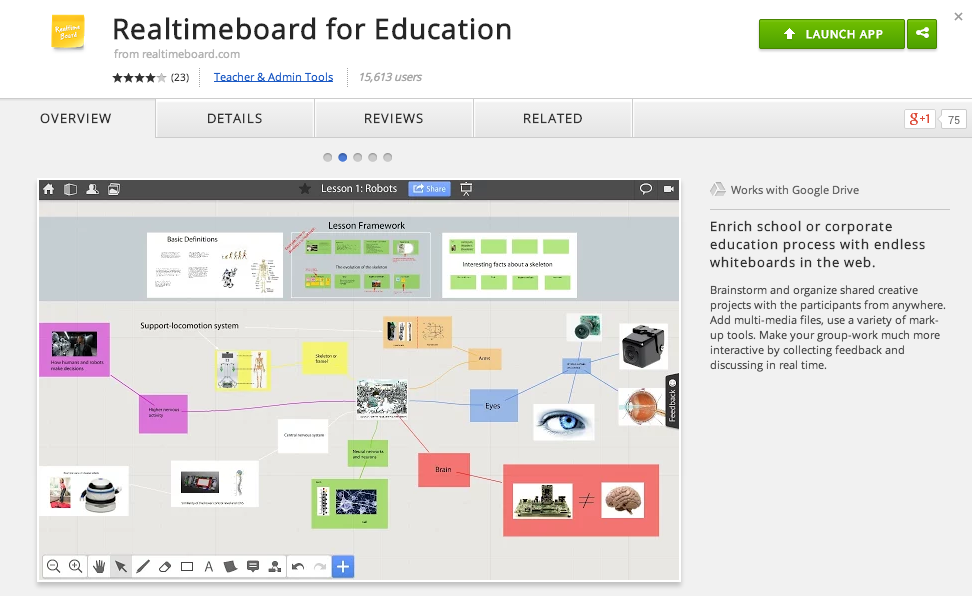
RealtimeBoard for Education

Good Looking, Powerful, and Chrome-Ready Mindmapping

Screen Shot 2014-11-14 at 6.00.19 AM.png

In my research to write this article (Cool Tools for Collaboration) I saw tons of workspace apps for the iPad and Chrome. They all give the students a virtual space to collaborate with similar features. The Apple Apps were more pleasing aesthetically and easier to teach with than the Chrome alternatives with which I was familiar. Chrome apps had a little more functionality than the Apple Store offerings, but those are typically more distracting than helpful in the classroom. I like the versatility of Lucid, but the design space is clunky. The Chrome version of Popplet is attractive, but lacks function and has lost the trust of our teachers because of some connectivity issues.

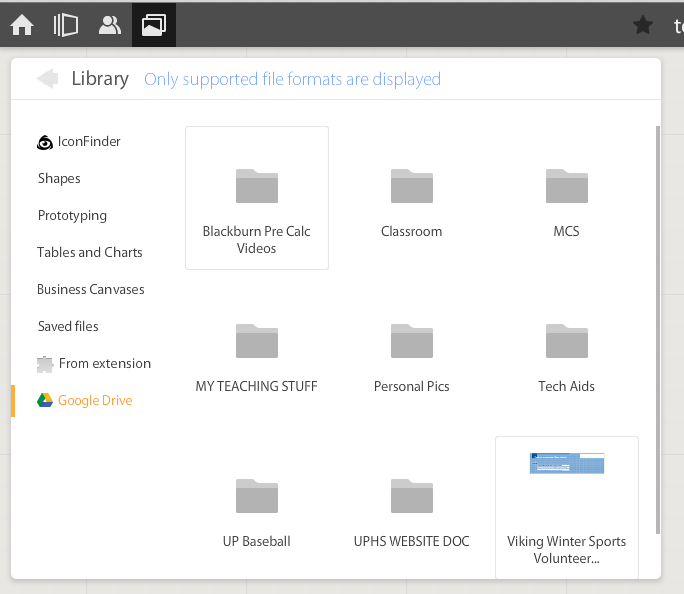
In my search to find something easy to use, powerful, and attractive for my Chromebook users I stumbled upon RealtimeBoard for Education. It is already loaded into the Moore@Schools Webstore and ready to use now.
Screen Shot 2014-11-14 at 6.03.50 AM.png
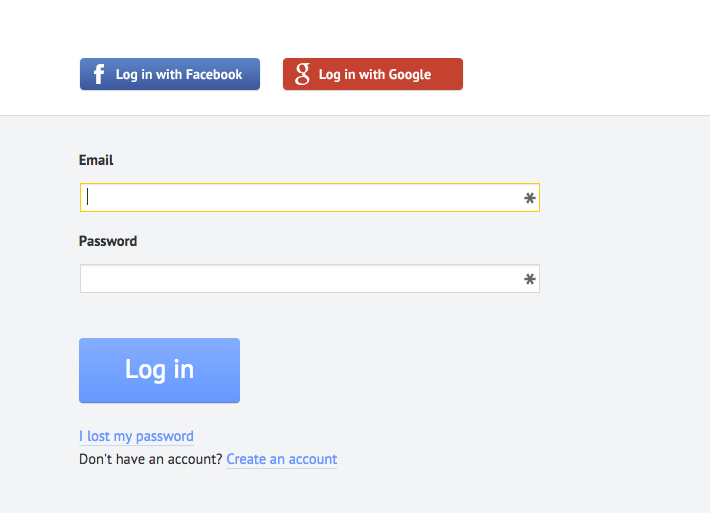
RealtimeBoard EDU supports single signin with edu gmail accounts.
Screen Shot 2014-11-14 at 5.14.39 AM.png
Screen Shot 2014-11-14 at 6.01.33 AM.png
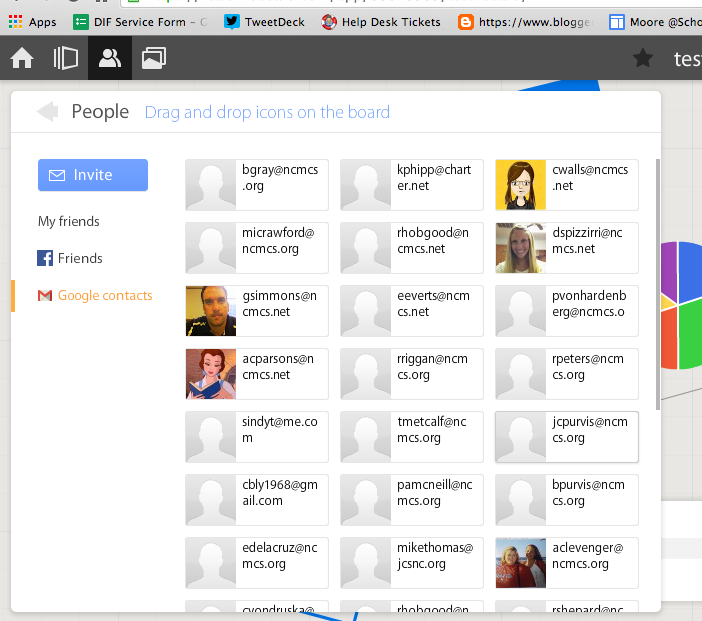
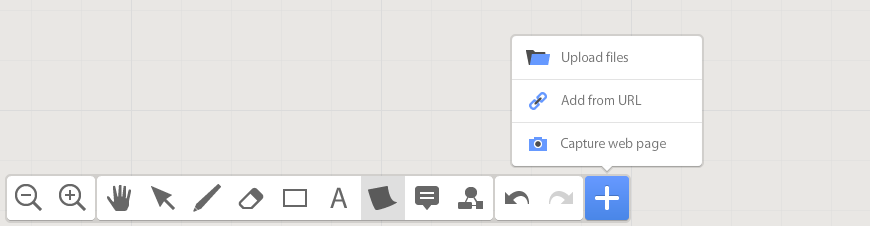
If allowed to do so it will also link to Drive like Lucid (very handy) and collaborators can be located and added through gmail. The user can also add an extension to capture whole or partial screenshots that will be automatically added to the RealtimeBoard Library (handier than I originally thought it would be).
Screen Shot 2014-11-14 at 5.22.29 AM.png
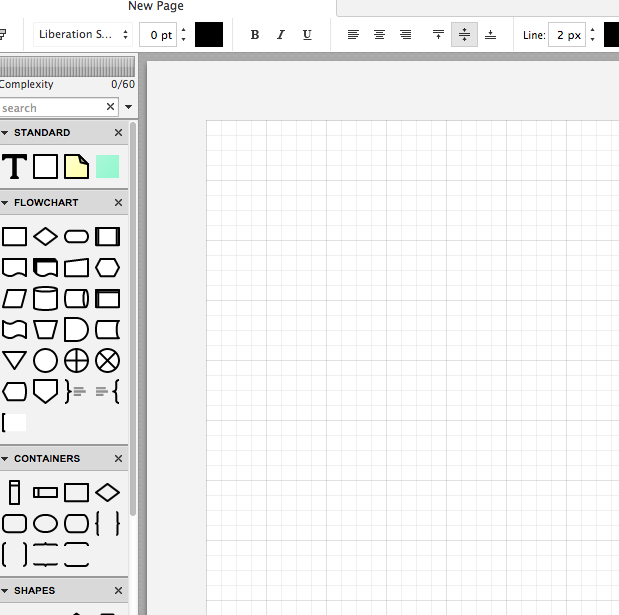
RealtimeBoard EDU has a great, clean space for the students to collaborate synchronously. It utilizes pretty common features for this type of program including drawing tools, shapes, connectors / arrow lines, and text boxes. The types of shapes & text bubbles are far fewer than Lucid but more than adequate for our needs.

RealtimeBoard EDU Lucid
Screen Shot 2014-11-14 at 5.24.20 AM.png Screen Shot 2014-11-14 at 9.15.59 AM.png
Screen Shot 2014-11-14 at 5.32.28 AM.png

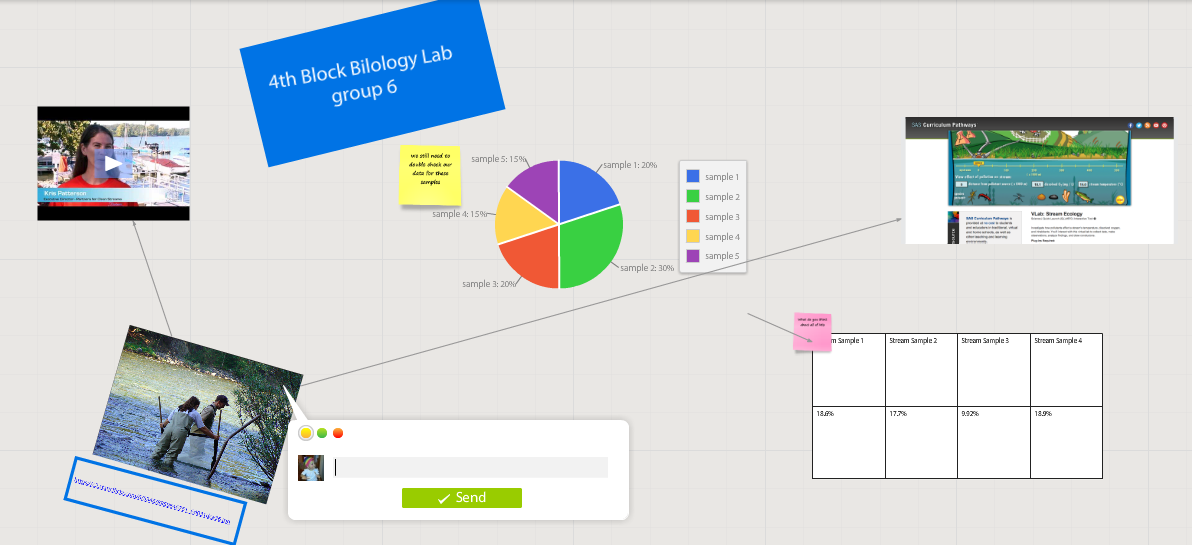
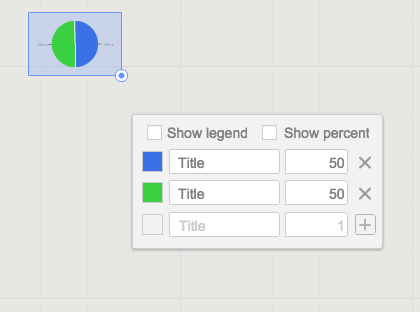
Students can embed video as with Popplet using the URL. Additions to those common tools include very easy to generate tables and charts (pie and various bar graphs).
Screen Shot 2014-11-14 at 5.35.55 AM.png
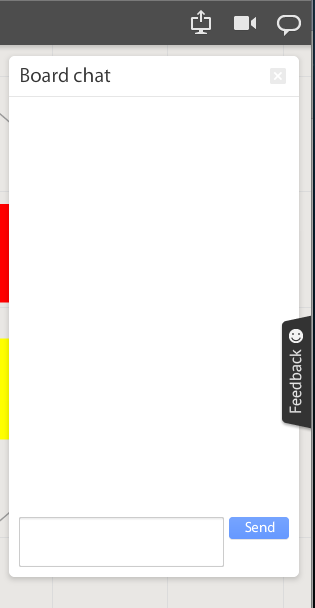
Students communicate in the workspace by generating post-it type notes, screen-share or by the onscreen “board chat” feature.
Screen Shot 2014-11-14 at 9.06.50 AM.png
What is unlike similar applications? RealtimeBoard lets users import entire documents, pictures, screenshots (very easy if you add extension--not currently in the Moore@School WebStore).

As students analyze these pieces and begin to see how they work together they can organize or combine the elements to convey a larger story.
Screen Shot 2014-11-14 at 6.00.19 AM.png
Student/students can save their work to Drive, download as PDF, add the instructor as collaborator, or send them the link. This many ways to submit make it quick and easy.

I really like the application at this point and I am happy to have an attractive alternative for my teachers. I anticipate this will be a big hit. Instructionally it could be modified to fit most assignment types and levels of Bloom’s framework.

__________________________________________
Ideas for Instruction:

Science: Lab & Experiment Reporting, Categorization

Social Studies: Biographies, Primary Doc Analysis, & Complex Cause-Effect

Math:Terminology, Illustrations of Real World Application of Skill

ELA: Character Development, Thematic Strands in Story, Types of Poetry, Mood/Tone/Theme

Foreign Language: Cultural Elements, Dialectic Variations, Topically Related Verb/Nouns
_______________________________________________________________________________
If you have found any other great alternatives or have something to add to the discussion here just post a comment below.

Will Herring, MEd-IT NBPTS
Moore County Schools, IDI DIF

@WilliamHerrin16