Showing posts with label MCS. Show all posts

Wednesday, May 23, 2018

Building Engineers in K-5 Classrooms- May 4th DTL Showcase Grant


Time-Lapse of May 4th - Main Gym at Pinecrest HS

PHEW!  What a day!  On May 4th, 2018, Moore County Schools was able to convert our 4th annual Elementary Robotics Competition into a statewide showcase event/PD entitled "Building Engineers in K-5 Classrooms".  In addition to our 300 students (and their coaches, admin, and many parents!) we invited 200 educators from across North Carolina to a) see our students in action, and b) learn how to take some of the ideas around engineering/robotics we've been successful with back to their home districts.

Who attended?
We were pleased to welcome educators (teachers, admin, instructional staff), university professors, preservice teachers, and representatives from NCDPI and the Friday Institute.


What did participants do?
Our full agenda (and all resources/materials from the day) is available here:  moorerobotics.com/may4.  While 100 participants observed our students in action, the other 100 received an introduction to the engineering/design process using Keva planks to build an 8-inch bridge.  We then flip flopped the two groups so they could experience the piece of the morning they hadn't yet seen.


In the afternoon, after students left and participants were able to take a full lunch break, we broke into small groups for PD.  In these sessions, participants were able to be introduced to the various types of robotics we had on display for the morning- Lego EV3s, Dash, Drones, and Spheros.  They were able to get their hands directly on the robotics and programming skills that our kids experience throughout our schools.  In the Sphero session, they furthered their understanding of the engineering process through the creation of predators (of which they got to battle with!):

Finally, we wrapped the day up with an enthusiastic promise to remain partners in learning/growing these ideas throughout the state!  


We would like to publicly thank NCDPI for providing us the opportunity to share these ideas with others.  We'd also like to thank all of our hard-working teachers, coaches, admin, and STUDENTS for the wonderful work they have put into this over these past 4 years.  We look forward to continuing to provide these opportunities for our students as well as cementing these new partnerships across the state in order to spread the impact of engineering/design on K-5 students all across North Carolina!

Thanks again,
-MCS Digital Learning Team

P.S. Don't forget to tag your work with #NCRobotics so we can all keep track of each other's progress!

Wednesday, January 11, 2017

A salute to our Public Education Foundation


It takes a village. That’s one of the cliches that you hear a lot in the education field. But it rings true. A student's success in school is directly correlated to the hard work and dedication of a number of people.

One of the most supportive groups that we have in Moore County Schools who has an enormous hand in the education of our students is the Public Education Foundation (PEF). Led by President Andrew Lyons, this passionate group of up to 25 members has awarded over $250,000 to enrich classrooms in Moore County Schools for over 30 years. From robots and drones to musical instruments and sustainable school gardens, our PEF has funded a variety of educational projects. Whenever we see something pricey that we would like to integrate into the classroom but we’re unable to secure the funding, the first thing we think of is applying for a grant from the Public Education Foundation and so should every educator in Moore County Schools.


I highly recommend pursuing a grant through the PEF if you are interested in adding something to your classroom to facilitate creative and engaging learning experiences. Anyone from our Digital Integration Facilitator team would be more than happy to help teachers with the application process or preparing for their interview. And the turnaround time is amazing! If your project is approved, you will have your funding within the next two weeks! Click here to apply for funding.

Along with projects that are embedded in our daily curriculum, the PEF has played a vital role in two major events in Moore County Schools. First is our annual summer STEM Camp. Their financial assistance has helped bridge the gap to a sustainable camp for our rising third through eighth grade students. They were also generous enough to provide scholarships last year for students to attend STEM camp who may not have been able to attend otherwise. And secondly our elementary robotics showcase as well as our middle and high school robotics competition would not be possible without the support of the PEF. Many of the robots our students program as well as the fields they use during the competitions have been awarded from grants through the PEF.


Please come out and support our Public Education Foundation! The “Are you Smarter than a 5th Grader?” event is sponsored by the PEF. Admission is free and the excitement is unbelievable. I hope to see you at the Pinecrest Auditorium on Thursday, January 19th at 6:30 pm. Come early to see some robotic demonstrations that were made possible by funding through the PEF. Another wonderful opportunity to support our PEF is the ShamRock ‘N Roll Road Race on Saturday, March 11th. They offer a 1 Mile Fun Run, 5k run/walk and a 10k run/walk. All proceeds go towards the PEF. There is also a competition that the PEF funds to encourage the support of our local schools. The top 3 schools with the highest percentage of participation earn a cash prize! Click here to register.

We would like to send a HUGE thank you to everyone in the Public Education Foundation for their continued support of our students. We truly appreciate all of the opportunities that you have made possible for so many children.

-Clint Rogers

Monday, October 24, 2016

Halloween is coming but Mrs. Futral isn't afraid

Integrating technology can be scary. 


Technology is constantly changing. It takes a lot of patience and perseverance. Especially when the computer, iPad, app, robot, chromebook, website (you see where I am going with this) is not working like it should. It is easy to become frustrated. But through it all, Johnna Futral knows that integrating technology is worth the risk. I have worked with Johnna over the past three years and she has become one of my closest allies in the world of digital learning. I know that if there is something new that I would like to take for a test drive I can approach Johnna and she will be eager to give it a shot. Not only is she open to my suggestions, she's an advocate for the benefits of digital learning. I wanted to share her teaching pedagogy that includes using technology to enhance her instruction so that other educators may see that the rewards are worth the risks that you take when you step out of your comfort zone. Here's a piece of my interview with another one of Moore County's finest:


Question: How long have you been a teacher in Moore County Schools?
Answer: This is my eighteenth years teaching. All in Moore County Schools. I’ve taught second grade for seven years, Kindergarten for seven years and two years in fourth grade. I also worked as an assistant for two years.

Q: How would you describe your teaching style?
A: My teaching philosophy has always been that high expectations lead to high achievers. I like a lot of movement in the classroom. I like to change things on a whim. I’d like to say that I’m organized enough that I’m effective but if something isn’t working I like to change it on the fly. I’d say I’m a little bit of a “fly by the seat of my pants” kind of teacher. It depends on what the kids need. What I think when I’m planning may be different than what happens when I’m actually teaching. I also like a lot of creative in the classroom. I like to integrate arts and science because the kids enjoy it and I bring that passion so then the kids get excited.

Q: You often integrate technology in your lessons. How does technology enhance your instruction?
A: For one thing, when the kids are using technology they are a lot more engaged compared to when they’re talking to their classmates. I think it has a lot to do with the world we’re living in. It enhances teaching when you bring in something they're familiar with. 21st century learners must be fluent with technology to be able to function as an adult. Showing students those skills of creating, collaboration, and publishing prepares them for what’s to come in their future. They still need to be able to talk through their thinking as well. That way we don’t take out the personal connection part.

Q: What are some of your favorite lessons that included technology?
A: I especially enjoyed the solar oven engineering lesson where our students created a plan, then made and tested, as well as improved a way of using the energy from the sun to make s’mores. I also enjoyed the Lego robotics lessons where our students created and programed robots that supplemented math lessons in measurement and comparing numbers. You can see the kids enjoy these lessons and you know the content will stick with them because of how much they enjoy it. Even though some of those lessons are harder to prepare for, it turns out being some of the best lessons. Once we got out there to see that something they created was successful when the sun had melted our chocolate...they’ll remember that forever..


Q: What would you say to a teacher who may be reluctant to use technology with their students?
A: I would say to utilize your resources. If your Digital Integration Facilitator is offering to give you help, you should take advantage of that resource because if you’re not comfortable with technology, your DIF is so you’ll be able to step outside of your comfort zone and then you’ll grow as a teacher. You are more likely to try something new when you’re working with a DIF. Until I see it, I don’t understand how it works. The only way you’re growing to grow as an educator is to step outside of the box of comfort. No one is going to grow until they take risks. Just like we tell our students. I often find that if I do take a risk and fail it’s a good lesson for my students as well. You teach them perseverance and not to give up with some things are hard.

Q: Does your principal affect your motivation or desire to use technology?
A: No. I think he’s very tech savy. It’s something that I do on my own because I think it’s beneficial.

Q: You’re an inspiration to many people, including myself, what inspires you?
A: From the time I was a small child I knew I wanted to be a teacher. I was inspired at a young age by my kindergarten teacher. I don’t know exactly what it was but she was a huge inspiration for me. I even did an internship where I went back into her classroom and worked with her.  My children also inspire me. My colleagues inspire me. I get inspired by other educators. I think that my daughter inspires me and that I inspire her as well as my students. They’re so much love in a school building that is enough in itself to be inspiring. I like to have fun. I don’t like to do things like in the olden days. I like to be creative and I think teaching allows me to do that.

Q: What is your favorite part about being a teacher?

A: I think my favorite part is the kids and how much they love you. It’s like having a classroom full of your own children that you mold and shape. Even though you send them home at the end of everyday you still think about them. Why else would you be a teacher? It’s about the kids. I like to see them excited about things. Like today, when they were building their robots today that’s something they were excited about.


This is Mrs. Futral's first year at Cameron Elementary School and they are beyond lucky to have such an amazing teacher. If I had kids, I would love for them to have her as their teacher. She is a phenomenal educator and I absolutely love collaborating with her.

Friday, November 14, 2014

Collaboration Cool Tool
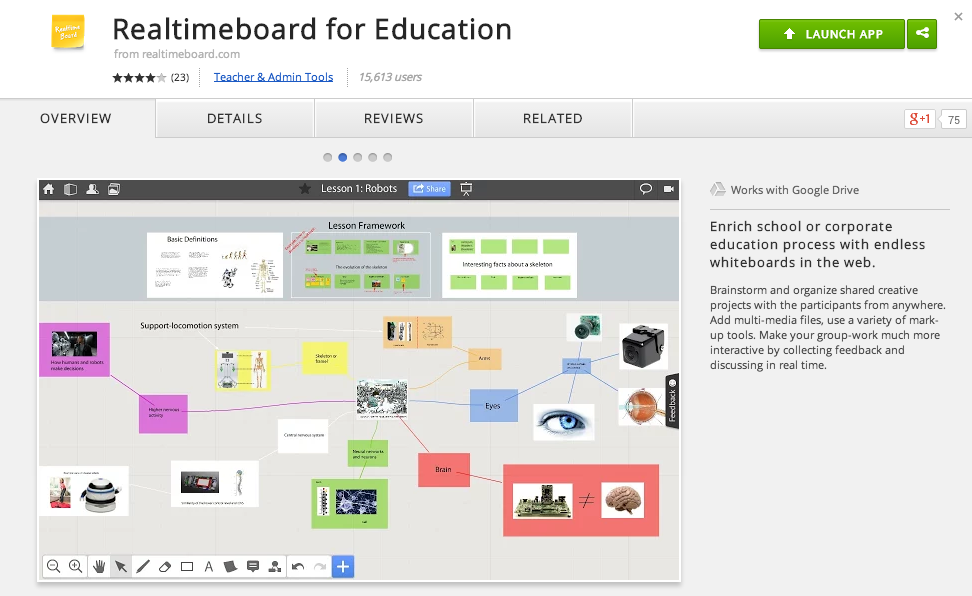
RealtimeBoard for Education

Good Looking, Powerful, and Chrome-Ready Mindmapping

Screen Shot 2014-11-14 at 6.00.19 AM.png

In my research to write this article (Cool Tools for Collaboration) I saw tons of workspace apps for the iPad and Chrome. They all give the students a virtual space to collaborate with similar features. The Apple Apps were more pleasing aesthetically and easier to teach with than the Chrome alternatives with which I was familiar. Chrome apps had a little more functionality than the Apple Store offerings, but those are typically more distracting than helpful in the classroom. I like the versatility of Lucid, but the design space is clunky. The Chrome version of Popplet is attractive, but lacks function and has lost the trust of our teachers because of some connectivity issues.

In my search to find something easy to use, powerful, and attractive for my Chromebook users I stumbled upon RealtimeBoard for Education. It is already loaded into the Moore@Schools Webstore and ready to use now.
Screen Shot 2014-11-14 at 6.03.50 AM.png
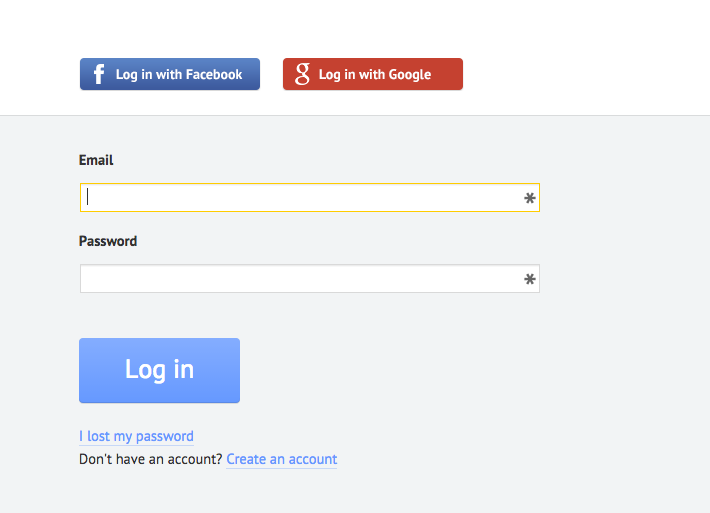
RealtimeBoard EDU supports single signin with edu gmail accounts.
Screen Shot 2014-11-14 at 5.14.39 AM.png
Screen Shot 2014-11-14 at 6.01.33 AM.png
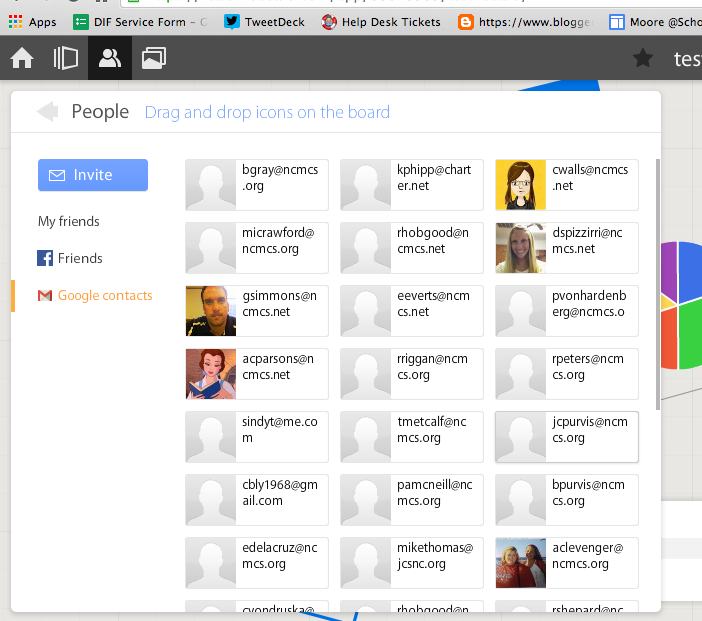
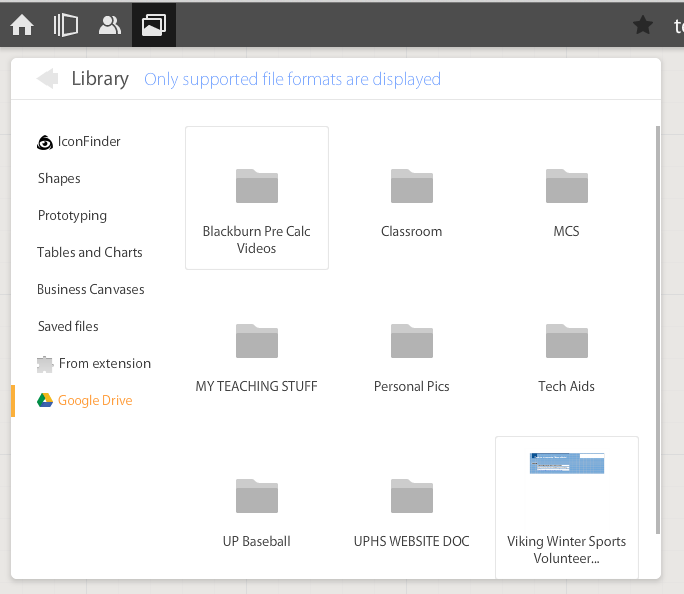
If allowed to do so it will also link to Drive like Lucid (very handy) and collaborators can be located and added through gmail. The user can also add an extension to capture whole or partial screenshots that will be automatically added to the RealtimeBoard Library (handier than I originally thought it would be).
Screen Shot 2014-11-14 at 5.22.29 AM.png
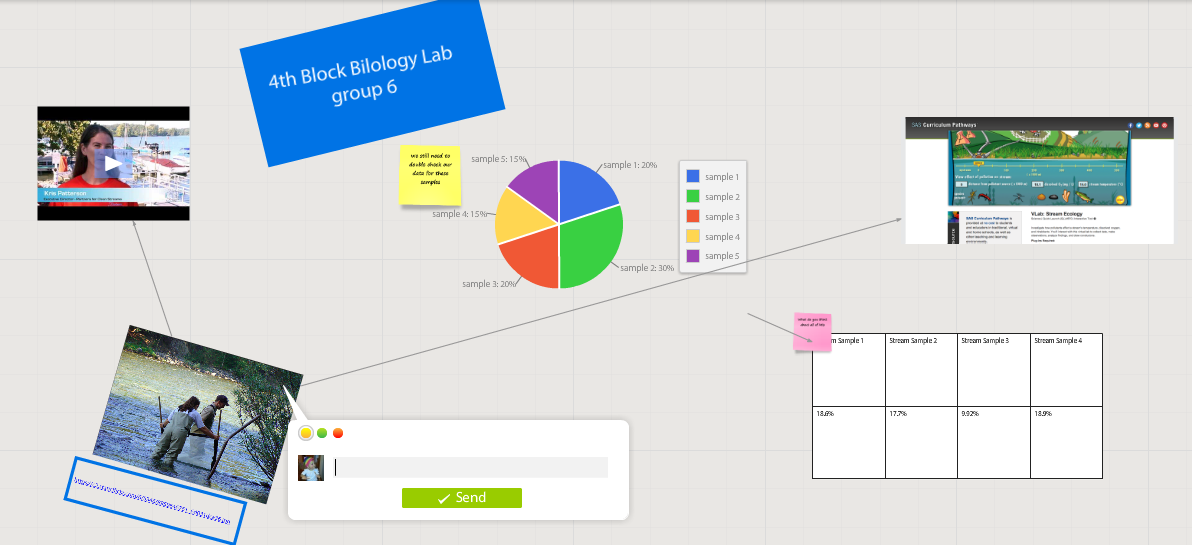
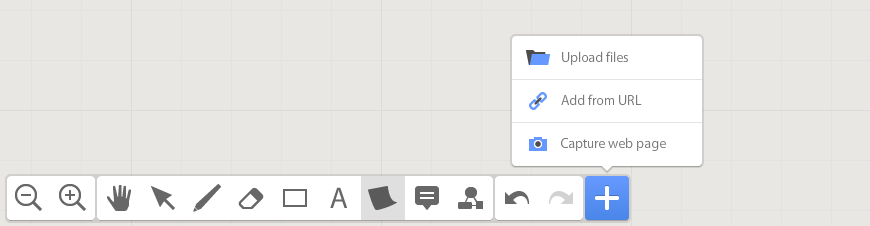
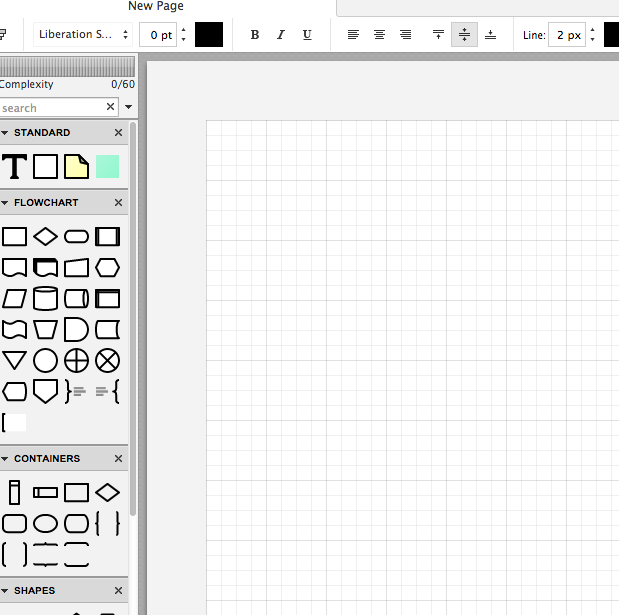
RealtimeBoard EDU has a great, clean space for the students to collaborate synchronously. It utilizes pretty common features for this type of program including drawing tools, shapes, connectors / arrow lines, and text boxes. The types of shapes & text bubbles are far fewer than Lucid but more than adequate for our needs.

RealtimeBoard EDU Lucid
Screen Shot 2014-11-14 at 5.24.20 AM.png Screen Shot 2014-11-14 at 9.15.59 AM.png
Screen Shot 2014-11-14 at 5.32.28 AM.png

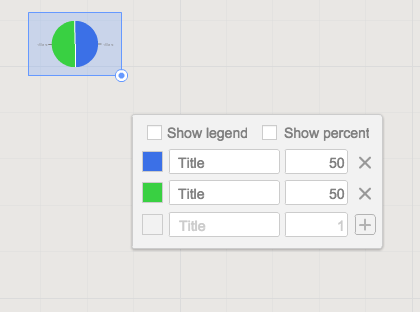
Students can embed video as with Popplet using the URL. Additions to those common tools include very easy to generate tables and charts (pie and various bar graphs).
Screen Shot 2014-11-14 at 5.35.55 AM.png
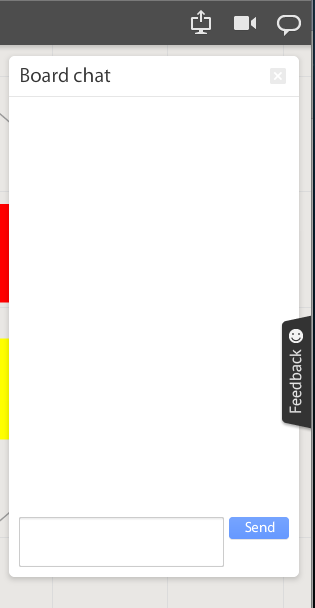
Students communicate in the workspace by generating post-it type notes, screen-share or by the onscreen “board chat” feature.
Screen Shot 2014-11-14 at 9.06.50 AM.png
What is unlike similar applications? RealtimeBoard lets users import entire documents, pictures, screenshots (very easy if you add extension--not currently in the Moore@School WebStore).

As students analyze these pieces and begin to see how they work together they can organize or combine the elements to convey a larger story.
Screen Shot 2014-11-14 at 6.00.19 AM.png
Student/students can save their work to Drive, download as PDF, add the instructor as collaborator, or send them the link. This many ways to submit make it quick and easy.

I really like the application at this point and I am happy to have an attractive alternative for my teachers. I anticipate this will be a big hit. Instructionally it could be modified to fit most assignment types and levels of Bloom’s framework.

__________________________________________
Ideas for Instruction:

Science: Lab & Experiment Reporting, Categorization

Social Studies: Biographies, Primary Doc Analysis, & Complex Cause-Effect

Math:Terminology, Illustrations of Real World Application of Skill

ELA: Character Development, Thematic Strands in Story, Types of Poetry, Mood/Tone/Theme

Foreign Language: Cultural Elements, Dialectic Variations, Topically Related Verb/Nouns
_______________________________________________________________________________
If you have found any other great alternatives or have something to add to the discussion here just post a comment below.

Will Herring, MEd-IT NBPTS
Moore County Schools, IDI DIF

@WilliamHerrin16

Friday, June 6, 2014

What is Google Drive & Why Use It?

Google Drive....A Closer Look


   Over the past year, there have been many questions surrounding Google Drive. Teachers, students, parents, and administrators are all curious as to why Google Drive ('the cloud') is being used as a storage space for information. It is a new idea, and ventures away from the traditional save and email documents modality. As with most new ideas, they are approached with caution and apprehension at times. Therefore, it is important to learn the benefits of Google Drive, before deciding one way or another.
   Google Drive, in a nutshell, is an online storage space. Documents, media, presentations, and much more can be housed in 'the cloud'. The benefit of using an online storage space, like Google Drive, is the accessibility of documents, without the fear of them being lost. Anything stored in Google Drive, can be accessed from any device, at any time, and from anywhere. Therefore if your computer breaks, you can still access and work on your documents from a different device.  This is an important feature in that it eliminates the worry of the 'computer crashing', and losing all of your information. 
   Also, Google Drive contains its own unique suite of writing tools. Google Documents (word processing), Google Slides (presentation), Google spreadsheet, and Google Drawing are among the basic tools provided on Google Drive. With these documents, students and teachers have the ability to collaborate on work, simultaneously. This notion assists teachers and students in achieving work completion, despite overlapping schedules.  
   Lastly, through Google Drive, the user has the ability to share documents with others. Once documents have been shared, the user can determine whether others can edit, comment, or simply just view their work.  Once work has been shared with another person, there is no need to share again if revisions have been made or suggested. This is an important piece to Google Drive, as it alleviates the need to email documents back and forth for every revision. 
   Just like any other tool, Google Drive will have its positive and negatives. The important question to keep in mind is, does Google Drive best suit your needs as an educator? The only way to truly determine its benefits for you, is to try it out and ask lots of questions! Best of luck on your Google Drive journey!
~Deanna Spizzirri

Thursday, May 29, 2014

Teaching Story Development to Digital Natives with StoryJumper

Teaching Story Development to Digital Natives with StoryJumper


StoryJumper Logo
StoryJumper www.storyjumper.com


It’s Thursday and that mean it is time for Chromebooks in Education to highlight a Web 2.0 cool tool for student production. A partnership teacher and I were preparing lesson concepts for next year when we stumbled across StoryJumper. As I write this, my mind is racing with applications for this web tool.


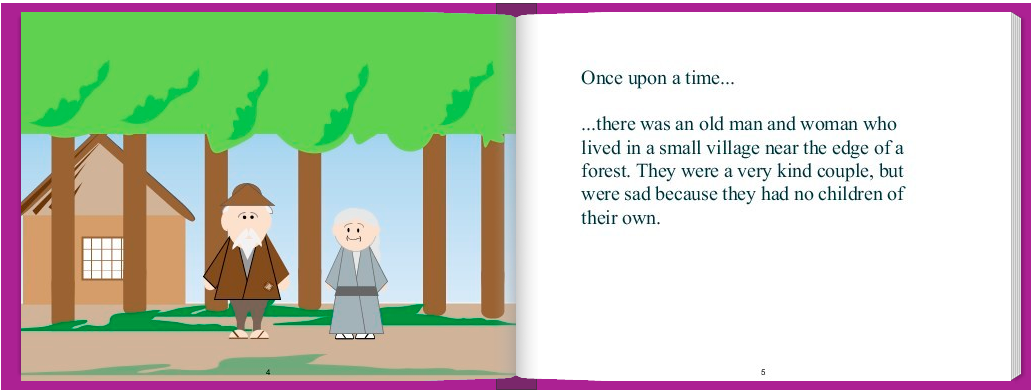
The graphics are a little crude, but that isn’t necessarily a drawback. The attempt (and the fear of potential failure) to achieve professional / polished work can be intimidating for students that aren't tech savvy. That anxiety stifles students’ creativity in my opinion. A sloppy looking platform gives students the freedom to get past the details and into the meat of the learning objective. Additionally, the interface of the program is simple and students will not be bogged down in the navigation or manipulation that can be common with products like Prezi.

StoryJumper Sample .png
Graphics from: www.storyjumper.com


The images available within the program lend themselves to fictional or fantastical tales; great for the younger audience. However, when needed students can supplement the library stock with uploaded images. As a result the application is useful to all grade levels.


The StoryJumper site is going to increase the learning and literacy skills of all grade levels (but not in the same way). Younger students will love working with graphic manipulatives in their story. It will encourage their creative instincts while they develop their 21st century skills including digital learning, critical thinking, decision making and communication. Older students will have fun with those features but also be cognitively ready to take advantage of the programs’ story development aids. The program offers stimulation to most learning types; tactile, logical, linguistic and spatial learners.


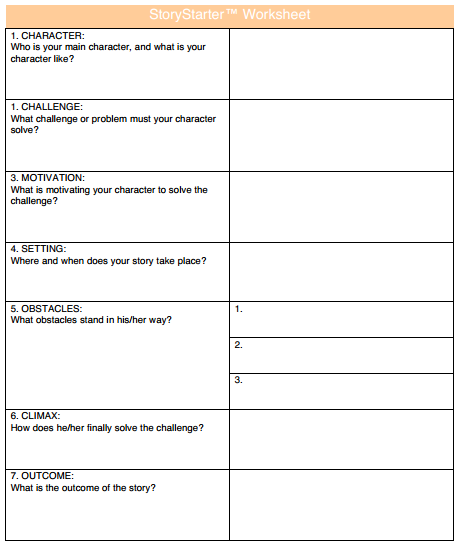
What I was most impressed with was the length to which the developers went to to make this website classroom ready. First, this website will work on any browser. That consideration isn't as important in Moore County, NC because we have great hardware in the hands of our students (HP Chromebooks), but it may be a relevant consideration for your LEA’s situation. Second, teachers’ accounts are free & they can set up “classroom” lists with students, usernames, and set time limits for in-class work (students have the option to create "at home" accounts to show their creation to their parents or work from home). Third, there is a one-click button that will create “getting started handouts” for each student with their personal log in information. Last but definitely not least, scaffolding and differentiation have been built into the program! Click on “Help” and find the link “download worksheet”. Seen below, the worksheet walks students through all the steps of character and story development.


TIP: If you are not in a one to one environment, students can complete story worksheets  & storyboards ahead of time to maximize time on task when you have hardware access.


Screenshot 2014-05-29 at 9.24.47 AM.png
Graphics from: www.storyjumper.com

I love this website and I can't wait to start using it in MCS classrooms next year. I see this fitting perfectly with our ELA, History, Foreign Language, and Science instruction. If you can think of anything else, put in the comments box below and share with our PLN. 

Read Graphite’s review here:

Read Common Sense Media’s review here: 


Will Herring
Digital Integration Facilitator
Moore County Schools
@WilliamHerrin16

Thursday, May 22, 2014

Create Your Own Classroom Posters!


Create Your Own Classroom Posters!

   As classroom teachers and administrators, we know how expensive decorative supplies and programs can be. With new technology, it is possible to create your own, personalized, classroom posters. These posters can state your class motto, school pledge, or favorite quote. 


   These customizable posters can be created at recitethis.com. Simply type in your word, quote, or statement and choose a theme.

    
      After selecting your desired poster template, you are ready to share, download, and eventually print. After just a few easy steps, your classroom will be transformed into a unique, personalized, learning environment.


Happy designing!
~Deanna Spizzirri

Friday, May 16, 2014

A Notable Addition to MCS Chromebooks

A Notable Addition to MCS Chromebooks


Hi everyone! My name is Will Herring & I’m the newest member of the Moore County School’s Digital Integration Facilitation team. During my second week on the job, one of MCSs’ outstanding APUSH teachers asked if there was an app in the Moore@School Google App Store that would allow his students to 1) annotate and 2) collaborate in PDF files. To prepare for the AP test he needs to have students practice with document based questions (DBQ’s) that can run upwards of 8-10 pages per student. If such an app was available, teachers could save thousands of copies (and time), expose their students to a wider range of resources, and give them powerful tools to activate critical reading, thinking, and peer editing skills.


images


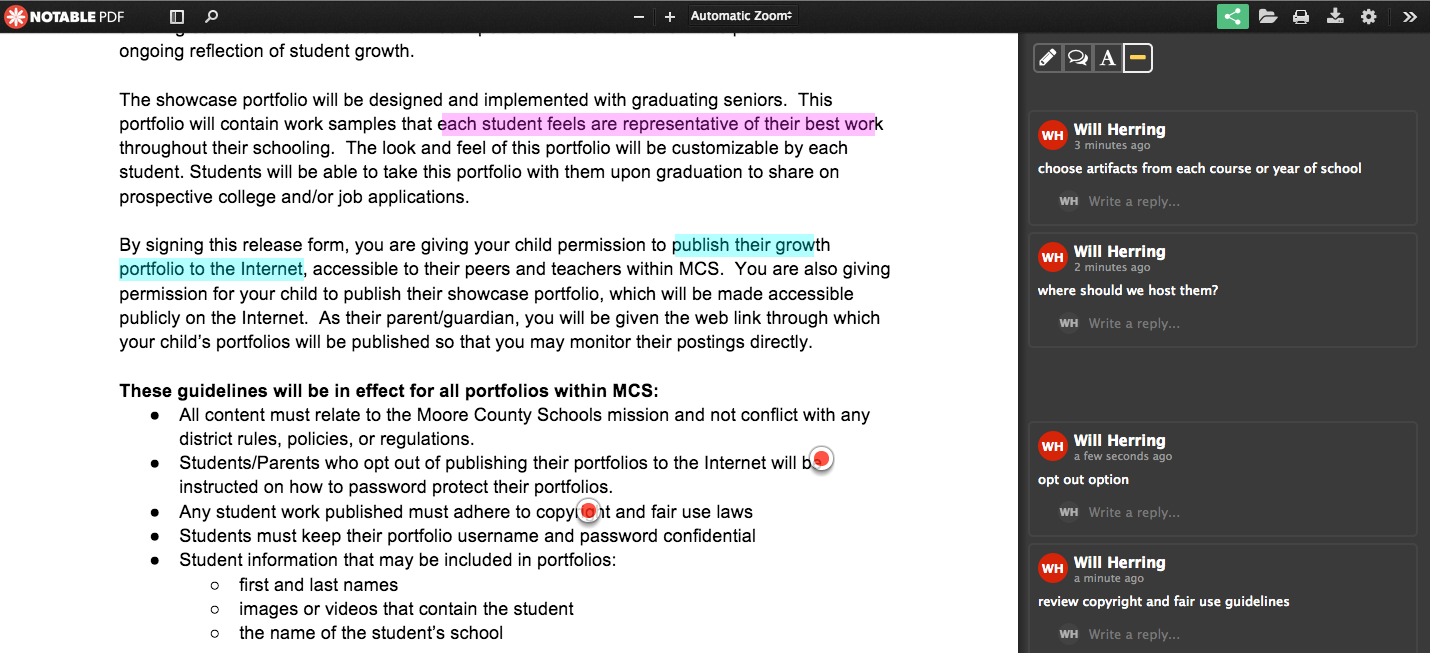
Enter Notable PDF to the Google Marketplace. Notable is available as either an App or extension in Google Chrome. Import PDF’s individually with “Open As” or set Notable as your default viewer. Connect with real-time collaborators with the “link” icon in the top right corner of your screen. Once you have the document you need, there are two options for annotation;
Highlight & Comment: Choose the “highlight” icon in the top right of the screen, select the color you want, and select text you want to annotate. When you release the mouse, a comment box will automatically appear on the right-hand column.


O Target & Comment: Double click on the document where you would like to add a notation. A “target”  placeholder will stay there and a comment box will appear in the right-hand column.


Screen Shot 2014-05-16 at 3.23.41 PM.png


I can see a place for this app for collaborative idea development, peer review/feedback (but not replace Docs), and resource analysis. I’m really looking forward to see how our foreign language and visual arts teachers figure out how to use this tool.


Maybe the greatest feature for my logistics oriented mind is that Notable will work offline and upload when the student returns to a WiFi enabled area. This is so important for those students without access away from school.