Showing posts with label create. Show all posts

Wednesday, January 20, 2016

I do. You do. Mrs. Morris does with WeDo

Almost every kid loves Legos. Duh! I'm sure this isn't breaking news for anyone who's reading this. But using Legos in your classroom is new territory for a lot of teachers in our district. I've seen them in collaboratory labs and in after-school activities, but typically Legos haven't been seen as a way to enhance instruction. Well, let me introduce you to a teacher who has become a leader in integrating Legos into her classroom to build (see what I did there?) on her curriculum.


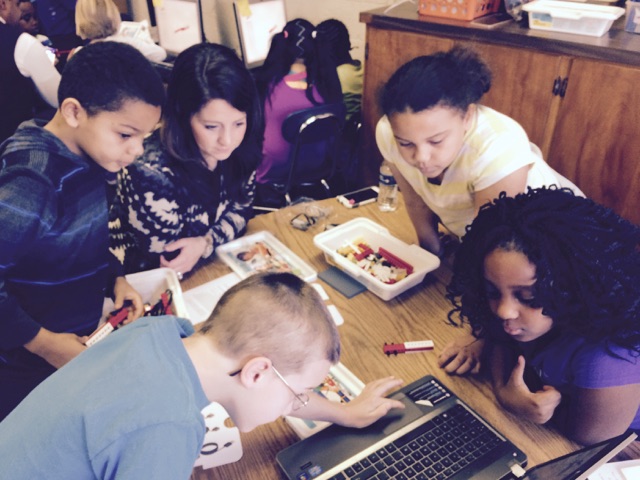
Meet Mrs. Morris. Mariah Morris is a second grade teacher at Aberdeen Primary School. She is a newbie in the elementary classroom, but you wouldn't know it by observing one of her lessons. Formerly a high school literature teacher, Mrs. Morris is only in her second year at APS and she has quickly become a Lego master. She has created engaging lessons through the use of the Lego WeDo kits from the Lego Education Group. I sat down with Mrs. Morris to pick her brain and find out how she utilizes the Legos so that I could share her knowledge with anyone who wants to use them in their classroom but may be unsure of how to do it.

Here's some of our interview:

What inspired you to integrate Legos into your classroom?
Originally, Dr. Capps sent me to the training and I felt like the kits were the perfect way to make the curriculum come to life in a STEM capacity. I think that the kinesthetic students and the visually learners are able to tap into the lesson. It introduces students into 21st century skills. I had students who wanted to be bus drivers before but now they want to be engineers. It’s been a huge gateway into higher education and learning options for their future.


What are some of the topics/standards that you’ve addressed with the WeDo kits?
We connected it to the math using the soccer player to hit some of our measurement standards. In science we addressed the force in motion standard by creating a spinning top. We’ve also introduced them into the basic coding skills for STEM and computer technology.


What are some of the benefits of using the WeDo kits with your students?
It’s been huge. In terms of classroom management, they think we’re this special lego classroom. We bring the lesson to life. Every student is engaged and you can’t say that for the majority of lessons. It gets kids excited about the lesson in a way that I’ve never seen in all my years of teaching. Students are carrying the build days home with them and they want these resources at home. It’s exciting as a teacher to see the excitement in my student’s eyes. We can see how the curriculum comes to life with hands on activities.


Did you have any obstacles or barriers when you began using the WeDo kits?
At first it was overwhelming having all these kits with my students. But we had the support of the DIFs in our district. I probably wouldn’t have used the kits without them (shameless plug).


What has been your favorite part of using the WeDo kits in your classroom?
It’s fun! For me, the students, we are get excited about the legos. It brings our classroom to life!


Thank you Mrs. Morris for being such an advocate for integrating technology in your classroom. It has been a pleasure working with you. I've grown as a facilitator by observing your lessons and learning new ways to use technology to increase student learning.

- Clint Rogers


Tuesday, December 9, 2014

Computer Science Education Week


This is my first year getting my feet wet with coding, but after I realized that I wouldn't drown in all of the computer science programming mumbo jumbo, I dove in head first! I'll admit, I was a little intimated when I first clicked on http://code.org/learn to try my hand at what over 61,000,000 people had done, learn the basics of coding. I've been a part of meetings with our technology department and looked over the shoulder of one of the lead technicians while he went into the "guts" of some of the programs we use in our county. It wasn't pretty. It was foreign language. So to say I was hesitant to try my hand at coding would be putting it lightly. Then I watched this video from our President and I was inspired to give it a shot. Take a look.


That's when I hoped over to http://code.org/learn to start coding. I was amazed at how well the instruction for coding was organized. You start simple with drag-and-drop coding with blocks to create snowflake designs with Anna and Elsa of Frozen. They even have cameos from Bill Gates and Mark Zuckerberg. If you really want to challenge yourself, you can even create your own app or game with tutorials to help guide you along. 

By the end of the night (more than just one hour) and with the help of http://code.org/learn's training wheels, I was caught up in the excitement of creating my own code! I was wrapped up in the ability to create something just by writing the code for it. To get an idea of how powerful coding can be, check out this Google Hangout with Jack Dorsey, the co-founder of Twitter.


I want to challenge YOU and your students to make some time for an hour of code. Give your students the opportunity to build something impactful, something meaningful, something they can be proud of. "It helps nurture problem-solving skills, logic and creativity. By starting early, students will have a foundation for success in any 21st-century career path." - Code.org

Here are a few resources to help you get started:


-Clint Rogers

Friday, November 14, 2014

Haiku Deck - Transform your Presentations


Don't get me wrong, I love Google Presentations just as much as the next guy. But sometimes I want to create a presentation that's got some flavor to it. That's when I found Haiku Deck. This award-winning creation tool allows its users to create simple, yet beautiful and fun stories. These presentations can easily by shared, posted, embedded on a website or blog, or viewed on a web-based device. Some of the game-changing features of Haiku Deck include: 
  • a range of stylish themes
  • the ability to upload images to use as your background including millions of free images
  • text that makes your presentation pop
  • charts that provide sleek visuals to represent your data

Whether your students have Chromebooks or iPads, this free software will be sure to turn their ordinary stories into inspirational presentations. To learn more about Haiku Deck, including a gallery of featured decks, tips on how to optimize your decks, and more reviews, be sure to visit www.haikudeck.com and begin creating your own engaging presentations. 

-Clint Rogers
Collaboration Cool Tool
RealtimeBoard for Education

Good Looking, Powerful, and Chrome-Ready Mindmapping

Screen Shot 2014-11-14 at 6.00.19 AM.png

In my research to write this article (Cool Tools for Collaboration) I saw tons of workspace apps for the iPad and Chrome. They all give the students a virtual space to collaborate with similar features. The Apple Apps were more pleasing aesthetically and easier to teach with than the Chrome alternatives with which I was familiar. Chrome apps had a little more functionality than the Apple Store offerings, but those are typically more distracting than helpful in the classroom. I like the versatility of Lucid, but the design space is clunky. The Chrome version of Popplet is attractive, but lacks function and has lost the trust of our teachers because of some connectivity issues.

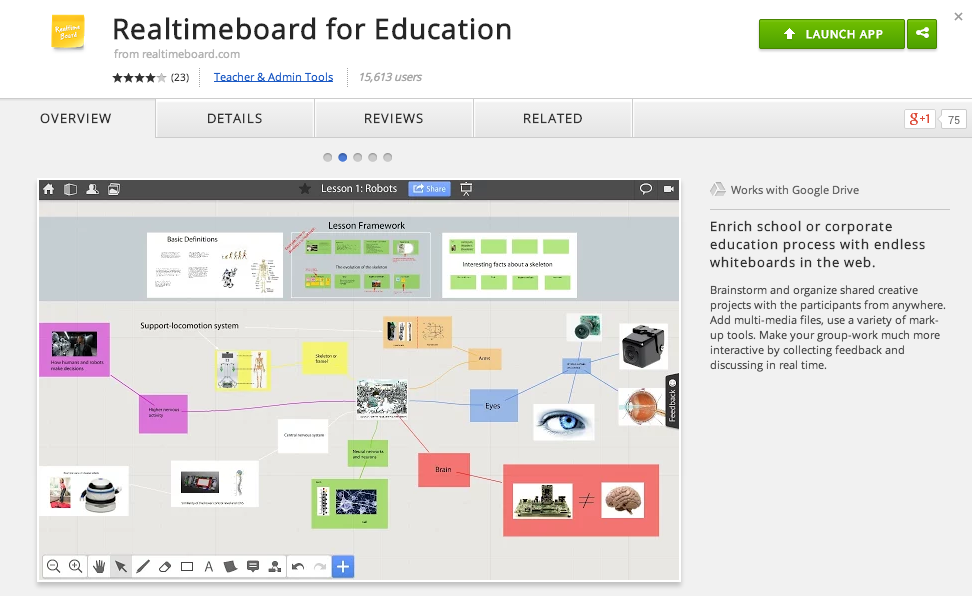
In my search to find something easy to use, powerful, and attractive for my Chromebook users I stumbled upon RealtimeBoard for Education. It is already loaded into the Moore@Schools Webstore and ready to use now.
Screen Shot 2014-11-14 at 6.03.50 AM.png
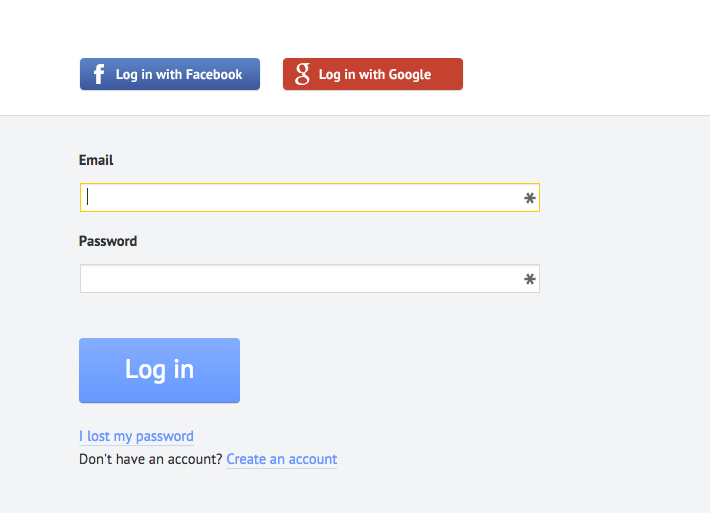
RealtimeBoard EDU supports single signin with edu gmail accounts.
Screen Shot 2014-11-14 at 5.14.39 AM.png
Screen Shot 2014-11-14 at 6.01.33 AM.png
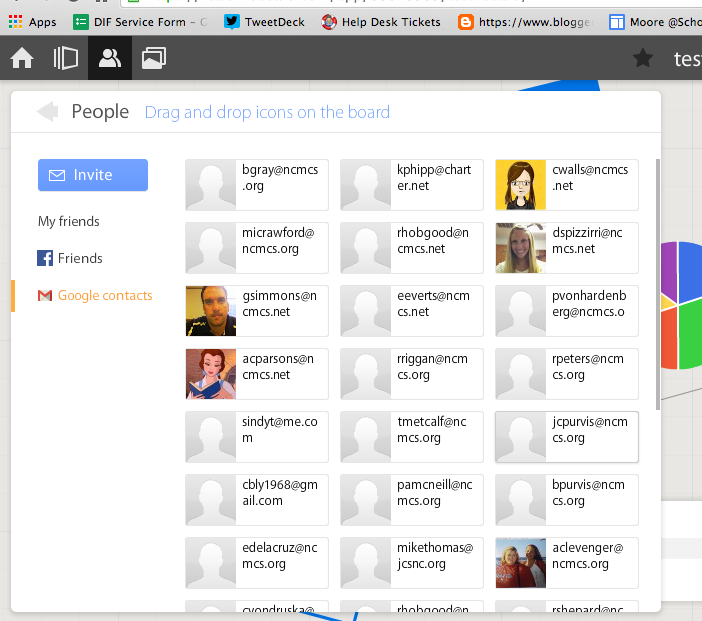
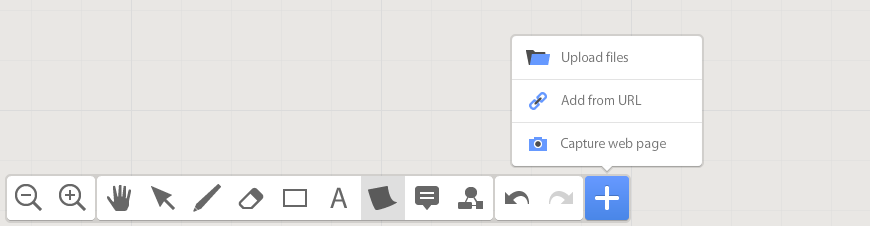
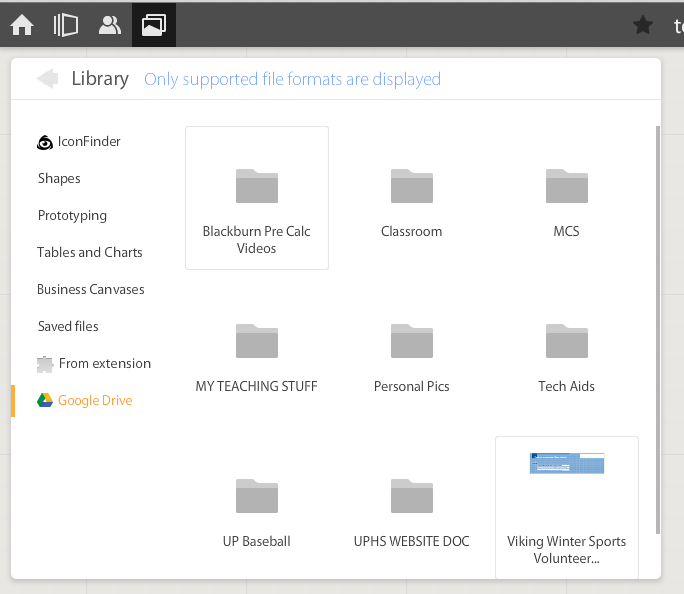
If allowed to do so it will also link to Drive like Lucid (very handy) and collaborators can be located and added through gmail. The user can also add an extension to capture whole or partial screenshots that will be automatically added to the RealtimeBoard Library (handier than I originally thought it would be).
Screen Shot 2014-11-14 at 5.22.29 AM.png
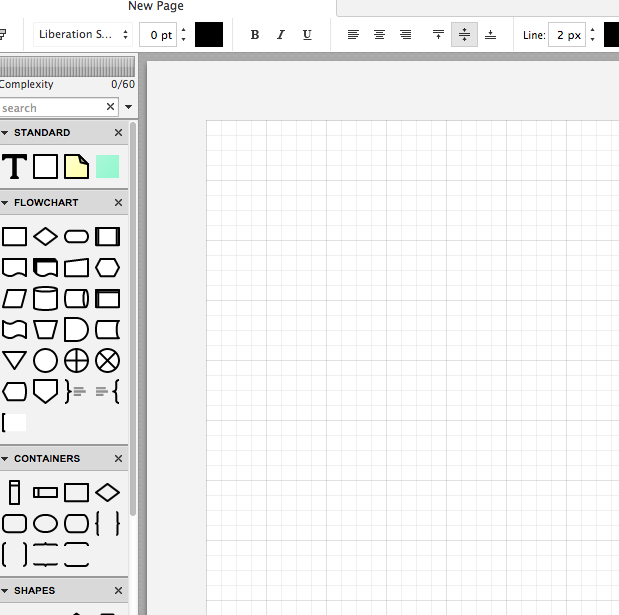
RealtimeBoard EDU has a great, clean space for the students to collaborate synchronously. It utilizes pretty common features for this type of program including drawing tools, shapes, connectors / arrow lines, and text boxes. The types of shapes & text bubbles are far fewer than Lucid but more than adequate for our needs.

RealtimeBoard EDU Lucid
Screen Shot 2014-11-14 at 5.24.20 AM.png Screen Shot 2014-11-14 at 9.15.59 AM.png
Screen Shot 2014-11-14 at 5.32.28 AM.png

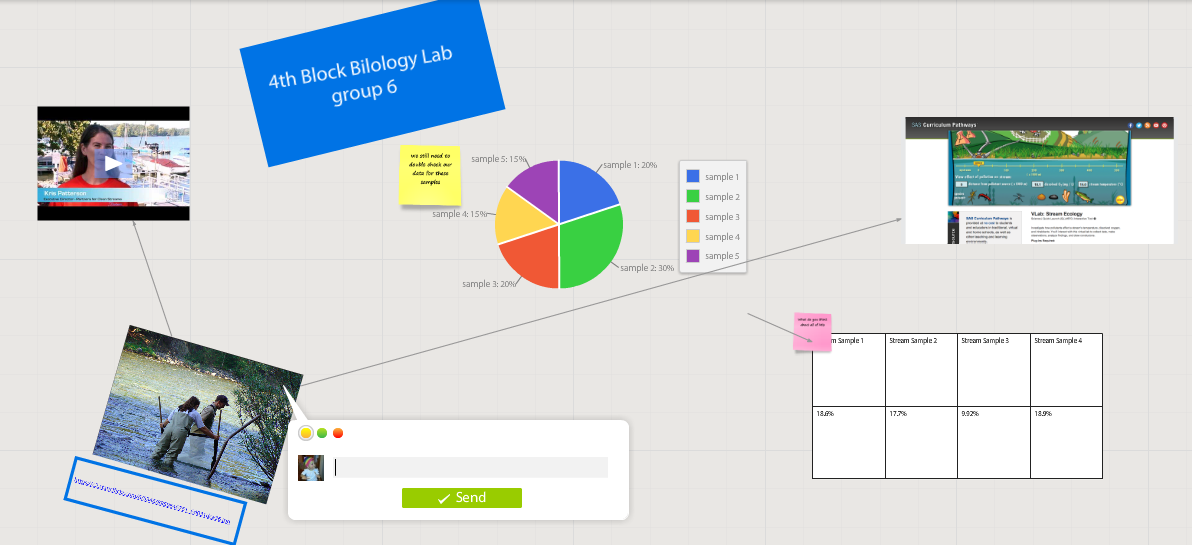
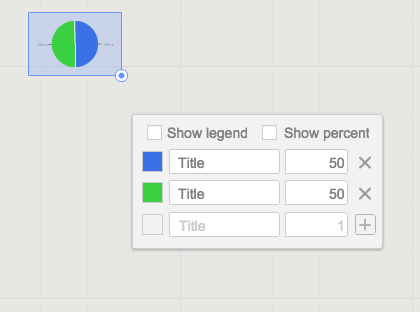
Students can embed video as with Popplet using the URL. Additions to those common tools include very easy to generate tables and charts (pie and various bar graphs).
Screen Shot 2014-11-14 at 5.35.55 AM.png
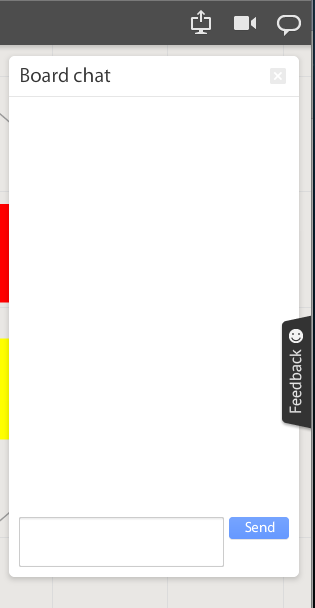
Students communicate in the workspace by generating post-it type notes, screen-share or by the onscreen “board chat” feature.
Screen Shot 2014-11-14 at 9.06.50 AM.png
What is unlike similar applications? RealtimeBoard lets users import entire documents, pictures, screenshots (very easy if you add extension--not currently in the Moore@School WebStore).

As students analyze these pieces and begin to see how they work together they can organize or combine the elements to convey a larger story.
Screen Shot 2014-11-14 at 6.00.19 AM.png
Student/students can save their work to Drive, download as PDF, add the instructor as collaborator, or send them the link. This many ways to submit make it quick and easy.

I really like the application at this point and I am happy to have an attractive alternative for my teachers. I anticipate this will be a big hit. Instructionally it could be modified to fit most assignment types and levels of Bloom’s framework.

__________________________________________
Ideas for Instruction:

Science: Lab & Experiment Reporting, Categorization

Social Studies: Biographies, Primary Doc Analysis, & Complex Cause-Effect

Math:Terminology, Illustrations of Real World Application of Skill

ELA: Character Development, Thematic Strands in Story, Types of Poetry, Mood/Tone/Theme

Foreign Language: Cultural Elements, Dialectic Variations, Topically Related Verb/Nouns
_______________________________________________________________________________
If you have found any other great alternatives or have something to add to the discussion here just post a comment below.

Will Herring, MEd-IT NBPTS
Moore County Schools, IDI DIF

@WilliamHerrin16

Thursday, October 2, 2014

Powerful, Chromebook-Approved Creation!

The critical question when giving digital devices to students is always "what do we want kids to do with them?"  In Moore County Schools, our answer to this question is that we want students to use their Chromebooks to create dynamic multimedia products that showcase their learning.  

To this end, our outstanding Digital Integration Facilitator (DIF) team worked very hard to create the excellent resource below.  We would like to share this out to any teacher, student, parent, administrator, or anyone else that would like to use Chromebooks to create dynamic work products!


Screenshot of "I Want to Create" Site


As we rolled out 1:1 with Chromebooks last year, teachers and students told us a few things we could do to help support them:

  • Don't throw a hundred tools at us that all do the same thing- tell us the one you recommend most :  We did this on each page of our "I Want to Create" site by providing a featured tool at the top and other tools linked at the bottom of each page.
  • Make sure all the tools provided work on our Chromebooks:  We tested each thoroughly on our student Chromebooks.
  • Provide an overview of the tool and also some easy ways to get started: We did this through embedded tutorial videos on each page
  • Give us a printable cheat sheet we can print out if we need extra help while working through a tool:  We did this on each and every tool page
  • Tell us which tools are good for beginner, moderately skilled, and advanced skilled learners:  We did this by organizing all the tools in exactly this manner, to allow folks to personalize their own learning.

We hope this resource can be helpful to any other educators out there that have Chromebooks in their classrooms and we look forward to seeing how this site evolves and grows throughout the next few years!

-Steve Johnson